
Online Silence Meditation Weekend
Welcome to the online silent meditation weekend. Below you will find all the information and links you need.
1. A downloadable folder containing practical information and the programme, which can help you prepare as fully as possible.
2. A link to a webpage with a special retreat text and breathing exercises written by Yoginâm.
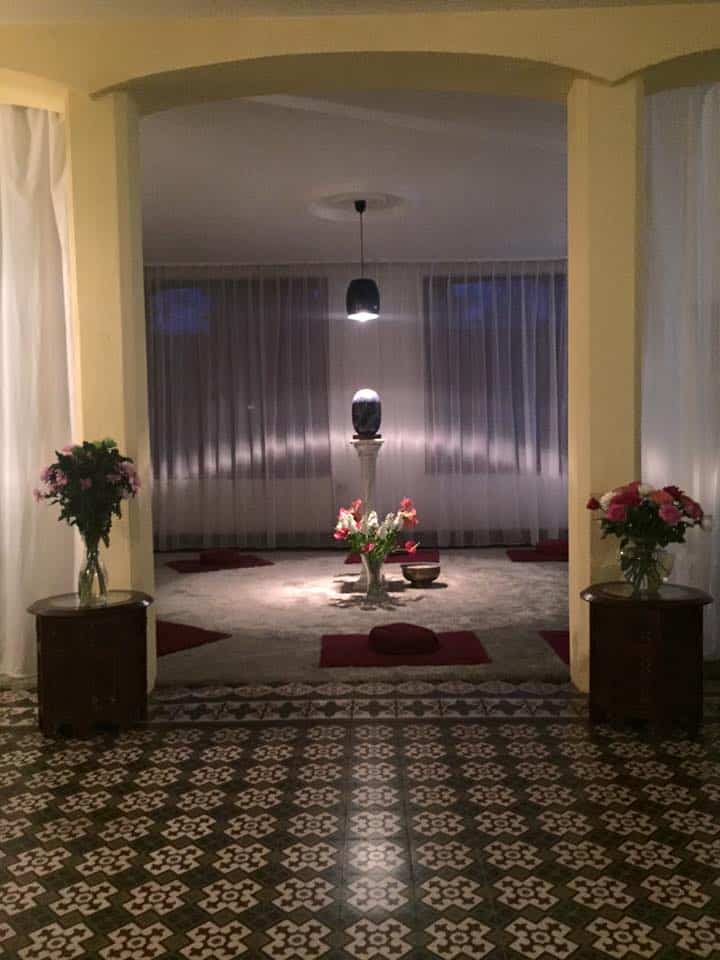
3. A Proton Meet link that connects you to the Lapirum, the meditation room of Asharum Amonines.
4. A Zoom link that we can use for the meditations should Proton Meet encounter any problems.
5. A HarpMood recording for the 3:30 p.m. meditation. The quality is better when you listen to it directly rather than through the Proton Meet connection. Please note: make sure to turn off the sound in Proton Meet; otherwise, you will hear everything twice.
6. There is also an instructional meditation video about the Asha Meditation for your information.
Brochure:
This brochure provides the information you need to prepare, as well as the daily programme. You can read it online or download it by clicking the link below.
Retreat text & breathing exercises
To support the silence—for example, when the thinking becomes too dominant—this retreat text and these breathing exercises by Yoginâm can be very helpful.
Due to copyright restrictions, we ask that you do not distribute these texts and keep them for your personal use only.
This page may requires a password: Reflection
Online Connection via Proton Meet
Throughout the day, between 10:00 a.m. and 7:00 p.m., you can remain continuously connected to the Lapirum, the meditation room of Asharum Amonines. You do not need any software; simply click the button and grant permission when prompted to use your camera and microphone.
We will maintain a constant connection, and our microphone will remain switched on.
During the meditations, it is important that you keep your sound turned on. Outside the meditations, you can choose whether to have the sound you receive turned on or off. However, to prevent an echo, it is important that your microphone is always muted.
You can listen to all the meditations through this Proton Meet connection, with the exception of the HarpMood.
During the HarpMood, please turn off the sound in Proton Meet and listen directly to the HarpMood, which you will find at the bottom of this page.
Proton Meet can remain open without sound; you will be able to see us, and we will be able to see you.
HarpMood
At 3:30 p.m., we will listen to the HarpMood by Yoginâm below.
For better sound quality, it is best to listen directly to this recording rather than through Proton Meet. Therefore, turn off the volume in Proton Meet itself and turn on the volume in this video.
You can leave the Proton Meet screen on so that we remain visually connected.
Instruction in Asha Meditation
Due to copyright restrictions, we ask that you do not share this video with others.
Emergency Zoom Connection
If Brave encounters any problems, we can stream the meditations via this Zoom link. This link will only work when we have also logged in to it from the Lapirum. Please let us know via the Brave chat, Signal, or a text message if you would like to use this option. We will then activate the Zoom connection five minutes before the meditation begins.
For the best quality, it is useful to have Zoom installed on your computer, but this is not essential. You may be asked for a password: meditation